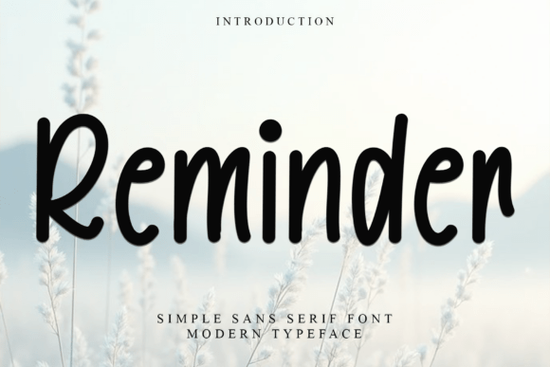
Looking for a festive typeface that actually feels like the holidays? The Reminder Font is a decorative display typeface built for seasonal designs greeting cards, gift tags, holiday packaging, and festive social media posts. It has a whimsical, merry personality that works well whenever you need your text to feel warm and celebratory without going overboard.
What Makes Reminder Font a Good Pick for Holiday Projects?
Holiday typography can be tricky. You want something cheerful and decorative, but it still needs to be legible at different sizes. Reminder Font strikes that balance. Its letterforms include playful decorative elements think swashes and decorative flourishes that give it a nostalgic, hand-crafted look. At the same time, each character is distinct enough to read clearly on both small gift tags and large posters.
This font is also PUA encoded, which means every glyph, ligature, and alternate character is accessible in any design software even programs that don't natively support OpenType features. For crafters using Silhouette Studio, Cricut Design Space, or basic graphic editors, this is a real practical advantage.
Where Can You Use a Festive Display Font Like This?
The short answer: anywhere you want holiday charm without clip art. Here are some specific use cases where Reminder Font works well:
- Greeting cards Christmas, New Year, Thanksgiving, or general seasonal messages
- Gift tags and labels especially handmade or small-batch designs
- Print-on-demand products mugs, tote bags, shirts, and ornaments with holiday phrases
- Social media graphics sale announcements, countdown posts, and festive headers
- Party invitations and event flyers holiday parties, school events, community gatherings
- Scrapbooking and junk journaling adding themed titles or quotes
- Website banners and email headers seasonal promotions for small businesses
If you're running a print-on-demand shop, a single festive font like this can serve across dozens of product listings during the holiday season. Pair it with simple backgrounds and seasonal phrases, and you have a ready-made product line.
How Does Reminder Font Compare to Other Display Fonts?
Reminder Font sits in the decorative display category, which means it's designed for headlines and short text not body copy. If you're building a full holiday branding kit, you'll want a clean complementary font for longer descriptions.
Compared to something like the Whimsical Grinches-inspired typeface, which leans heavily into a playful storybook vibe, Reminder Font is a bit more versatile. It works across multiple holidays, not just Christmas. And if you prefer something with a classic monogram feel for personalized gifts, this monogram display font collection pairs nicely alongside it for engraved-style designs.
For designers who also work on non-seasonal projects, you might also explore something like Arvoire Leonard for elegant branding work or browse retro and vintage display typefaces that work year-round.
What File Formats and License Do You Get?
When you download Reminder Font from Reminder Font on Creative Fabrica, you typically receive:
- TTF and OTF files compatible with Windows and Mac
- Web font files (WOFF/WOFF2) if you want to use it on a website
- Full glyph set uppercase, lowercase, numbers, punctuation, and decorative alternates
- Commercial license use it for personal and commercial projects (check the specific license terms on the product page)
The PUA encoding is worth repeating. Some fancy fonts look beautiful in previews but are frustrating to use because alternate characters are locked behind OpenType panels that many apps don't support. With PUA encoding, you can copy any glyph from a character map tool and paste it directly into your design. This makes the font practical for every skill level.
Tips for Getting the Most Out of This Font
A few practical notes from working with decorative typefaces like this one:
- Keep your text short. Display fonts are meant for headlines, names, and short phrases. A full paragraph in Reminder Font would be hard to read.
- Use generous spacing. Decorative letters need breathing room. Increase letter spacing slightly in your design settings.
- Test at your final size. Always preview text at the actual size it will appear on the product. What looks great at 200px on screen may be too dense at 12pt on a gift tag.
- Pair with a simple sans-serif. For supporting text, use something clean like a basic sans-serif so the decorative font stays the focal point.
- Try different colors. Festive fonts often look best in classic holiday palettes deep red, forest green, gold, or even white on dark backgrounds.
Quick Checklist Before You Buy
Before purchasing, make sure to:
- ✅ Preview the full character map on the Creative Fabrica product page
- ✅ Confirm the license covers your intended use (commercial, POD, etc.)
- ✅ Check that your software can install TTF or OTF files
- ✅ Consider whether you need a complementary body font to go with it
- ✅ Download any free samples or test glyphs if available
Next step: Head to the Reminder Font product page, preview the glyphs, and test a few of your favorite holiday phrases before committing. If it fits your project style, it's a solid addition to any seasonal design toolkit.
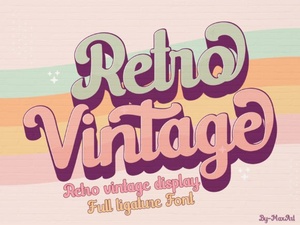 Retro Vintage Font Styles to Elevate Your Creative Designs
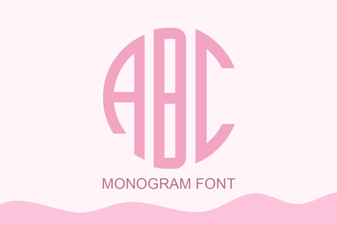 Elegant Monogram Font Styles for Creative Design Projects
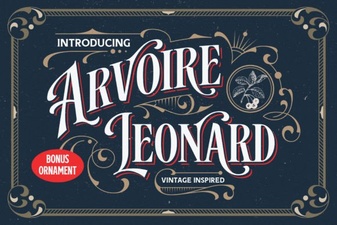 Elegant Arvoire Leonard Font for Creative Projects
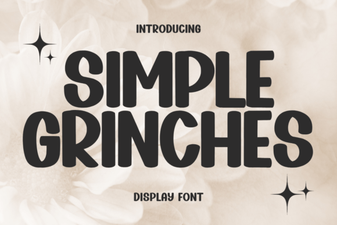 Simple Grinches Font for Festive Holiday Designs
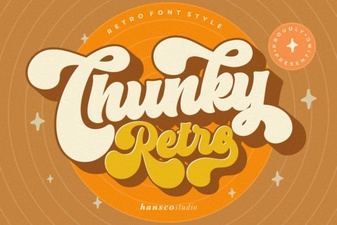 Chunky Retro Font - Bold Vintage Display Typeface Download
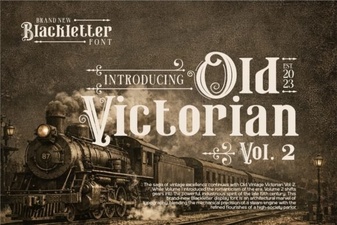 Old Victorian Vol 2 Font: Vintage Design Inspiration