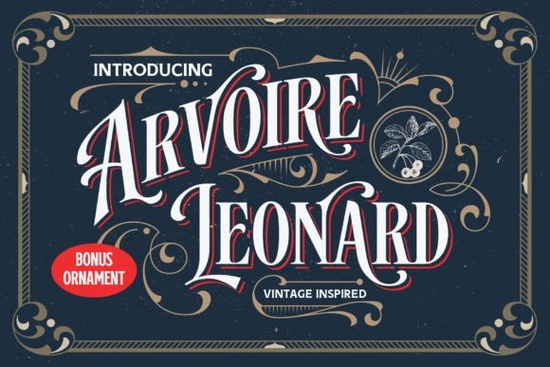
If you've been searching for a typeface that bridges old-world charm with modern usability, Arvoire Leonard is worth a closer look. This all-caps display font draws direct inspiration from 19th-century typography think vintage signage, hand-painted lettering, and classic badge designs. It comes in two styles: Regular and Shadow, giving you flexibility across different projects without needing to hunt for a separate companion font.
What makes Arvoire Leonard stand out among vintage fonts?
The design behind this typeface pulled references from old-fashioned graphics, logo plates, and vintage signboards. The result is a font that feels authentic without looking dated or rough around the edges. Each letter has been carefully crafted with elegant proportions, so it reads well at both large and small display sizes.
Unlike some chunky retro fonts that lean heavily into bold, blocky shapes, Arvoire Leonard keeps a refined silhouette. That makes it especially useful when you want a vintage feel without sacrificing readability.
It also pairs well with other typefaces. If you're building a brand identity and need a companion for body text, matching it with a softer reminder-style font can create a nice visual contrast between your headlines and supporting copy.
What can you actually use this font for?
Arvoire Leonard is a display font, which means it's designed for headlines, logos, and short text blocks rather than long paragraphs. Here's where it tends to work best:
- Posters and flyers the all-caps style commands attention at any size
- Logos and branding especially for businesses aiming for a heritage or artisan look
- T-shirt designs a strong fit for print-on-demand sellers working with vintage aesthetics
- Book covers particularly for historical fiction, memoirs, or classic reprints
- Labels and packaging craft beer labels, candle packaging, artisan goods
- Signboards and decorations both digital mockups and physical projects
- Merchandise mugs, tote bags, stickers, and more
You can see the full character set and more details on the Arvoire Leonard product page.
If you run a small business or sell on platforms like Etsy or Redbubble, a font like this can quickly add a professional, cohesive look to your product line. You might also explore pairing it with retro vintage display fonts for layered designs that mix different weights and textures.
How do you access all the extra characters?
One thing that matters with decorative fonts is how easy it is to actually use the full character set. Arvoire Leonard is PUA encoded, which stands for Private Use Areas in Unicode. In plain terms, this means every glyph, alternate, and ligature is accessible even in basic design software that doesn't always support advanced OpenType features.
You won't need professional software like Adobe Illustrator to reach the special characters. Programs like Canva, Cricut Design Space, and even basic word processors can display the full glyph set through a character map or glyph panel.
Does it work for monogram and decorative layouts?
If you enjoy creating monogram-style designs, Arvoire Leonard's elegant letterforms lend themselves well to that kind of work. Its structured all-caps design pairs nicely when building decorative initials or badge-style compositions. For dedicated monogram projects, you might also want to browse some monogram fonts that specialize in interlocking letter arrangements.
The Shadow style is particularly handy here it adds instant depth without any extra work on your part. Just type, and the built-in shadow effect does the rest.
Is Arvoire Leonard worth it for your projects?
If your work involves vintage branding, retro packaging, heritage-style logos, or print-on-demand designs with a classic feel, this font covers a lot of ground. Having both Regular and Shadow styles in one package means fewer extra purchases and more design flexibility right out of the box.
Here's a quick checklist before you decide:
- Check your use case does your project call for an all-caps display font with a vintage personality?
- Test the Shadow style see if the built-in shadow fits your layout or if you'll need the Regular version more often
- Verify software compatibility confirm your design tool supports PUA-encoded fonts (most modern ones do)
- Plan your pairings choose a body font to use alongside it for longer text blocks
- Review the license make sure the licensing terms cover your intended use, especially for merchandise and POD
Tip: Download the font preview file first and test it with your actual project text before committing. This helps you see how the letter spacing and proportions work at the sizes you'll actually need.
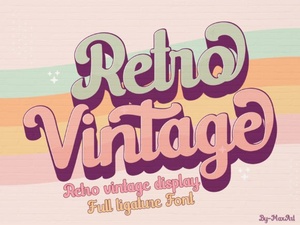 Retro Vintage Font Styles to Elevate Your Creative Designs
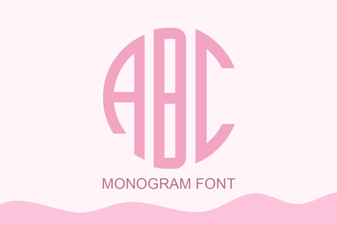 Elegant Monogram Font Styles for Creative Design Projects
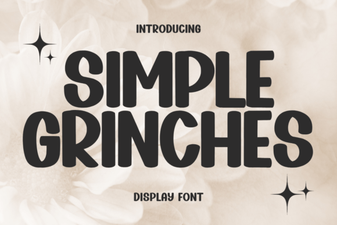 Simple Grinches Font for Festive Holiday Designs
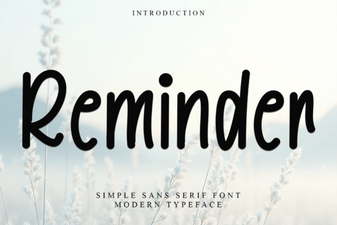 Stylish Reminder Font Ideas for Clear and Creative Design
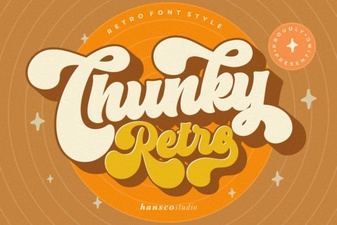 Chunky Retro Font - Bold Vintage Display Typeface Download
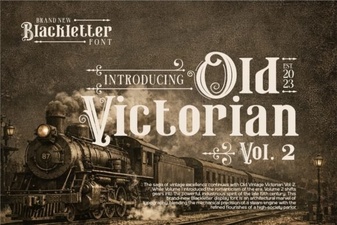 Old Victorian Vol 2 Font: Vintage Design Inspiration