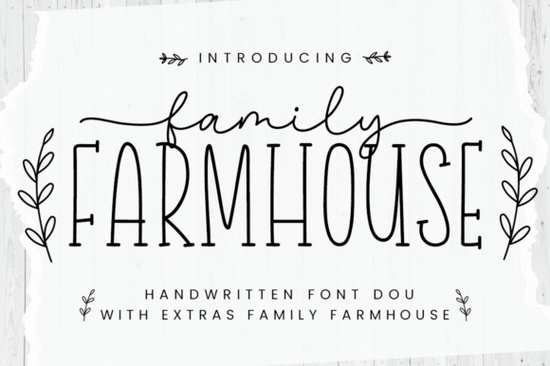
If you're searching for a rustic script font duo that brings warmth and character to your projects, the Family Farmhouse Font is a solid choice. It includes two complementary typefaces one elegant script and one clean supporting font that work beautifully together or on their own. Whether you're designing farmhouse-style wall art, wedding invitations, or social media graphics, this pairing has a cheerful, handcrafted feel that fits right in.
What Makes Family Farmhouse Different From Other Script Fonts?
Most script fonts come as a single file. Family Farmhouse gives you two fonts designed to match each other from the start. That means you don't have to spend time hunting for a second typeface that complements your main design. The script style handles headlines, quotes, and names, while the companion font works well for supporting text, subtitles, or smaller details.
Compared to other popular options like Charlie Script or Sunday, Family Farmhouse leans into a cozy, down-to-earth aesthetic. It's less formal than traditional calligraphy fonts but still polished enough for professional use.
How Do You Access All the Glyphs and Alternates?
Family Farmhouse is PUA encoded, which means every glyph, swash, and alternate character is accessible even if you're using basic software like Cricut Design Space, Silhouette Studio, or Canva. You won't need advanced design programs like Adobe Illustrator or Photoshop to use the full character set.
This is a real advantage for crafters and small business owners who work with simpler tools. PUA encoding takes the guesswork out of accessing special characters, so you can focus on creating instead of troubleshooting font files.
What Can You Create With These Fonts?
The farmhouse style works across a wide range of projects. Here are some ideas:
- Rustic wall art quotes, family names, and monograms with a hand-lettered look
- Wedding stationery save-the-dates, menus, table numbers, and programs
- Print-on-demand products t-shirts, mugs, tote bags, and pillows
- Social media graphics Instagram quotes, Pinterest pins, and story templates
- Greeting cards holiday cards, thank-you notes, and birthday invitations
- Labels and packaging candle labels, soap wrappers, and jar tags
Who Is This Font Best For?
Family Farmhouse works well for anyone who creates designs with a warm, approachable feel. Specifically:
- Crafters and DIY hobbyists who use Cricut or Silhouette machines
- Print-on-demand sellers looking for trending farmhouse-style designs
- Small business owners who need cohesive branding without hiring a designer
- Wedding stationery designers seeking a romantic, rustic font pairing
- Social media managers who want on-brand graphics with personality
How Does It Compare to Other Farmhouse and Rustic Fonts?
If you like the farmhouse vibe but want to explore other directions, there are plenty of options worth considering. Straight offers a cleaner, more minimal aesthetic if you need something less decorative. For a moodier, more dramatic feel, Gloomy Unseen takes things in a darker, more artistic direction.
But if you specifically want that cheerful, hand-lettered farmhouse look, Family Farmhouse nails it. The two-font setup makes it especially practical because you can create complete designs headlines and body text without mixing fonts from different creators.
Tips for Getting the Most Out of This Font Duo
- Use the script font sparingly. It looks best for short phrases, names, and headlines rather than long paragraphs.
- Pair with the companion font for supporting text to keep your design balanced and readable.
- Access alternates through a character map or your software's glyph panel to add flourishes and swashes.
- Test at the right size. Script fonts often look different at small sizes, so preview your design at the intended output size.
- Check licensing. Make sure your Creative Fabrica subscription covers your intended use especially for commercial projects like print-on-demand.
Quick Checklist Before You Start Designing
- ✅ Download both fonts from the Family Farmhouse Font page on Creative Fabrica
- ✅ Install both the script and companion font on your computer
- ✅ Verify PUA encoding works in your design software by testing special characters
- ✅ Choose a project wall art, invitation, or POD product and start with the script for your main text
- ✅ Add the companion font for any secondary text or details
- ✅ Review your design at the final output size before exporting
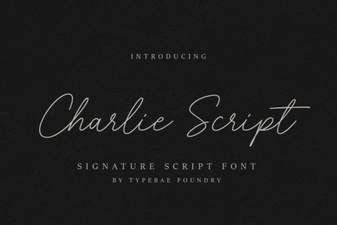 Elevate Projects with Charlie Script
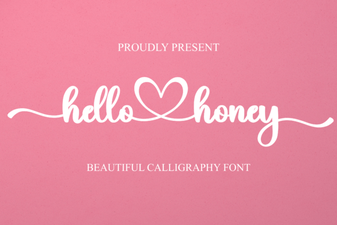 Hello Honey Font: Sweet Handwritten Style for Creative Projects
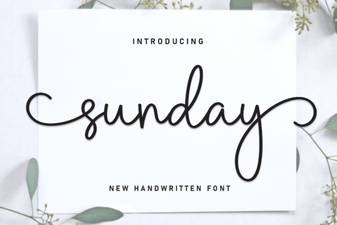 Sunday Font – Free Script Font Download for Elegant Designs
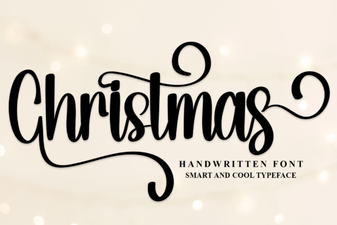 Christmas Script Font Collection for Holiday Designs
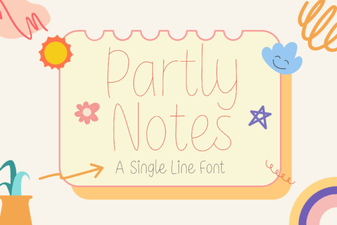 Creative Design with Partly Notes Font
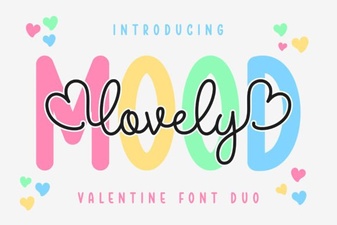 Lovely Mood Duo Font: Creative Design Pairing for Projects