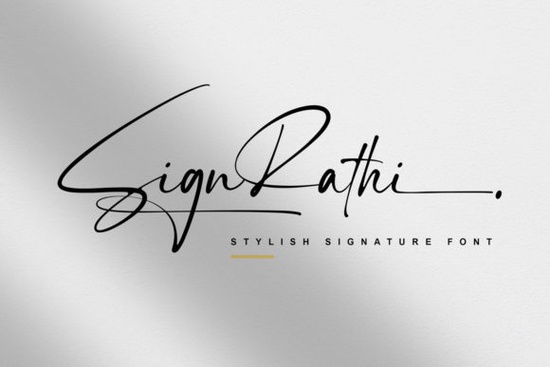
Sign Rathi Font is a cursive, thin-lettered script font that works beautifully for wedding invitations, branding projects, quotes, and feminine design work. Its delicate strokes and flowing letterforms give any project a refined, hand-lettered feel without looking overly casual. If you've been searching for a script font that balances elegance with readability, this one deserves a closer look.
What Makes Sign Rathi Different from Other Script Fonts?
There are thousands of script fonts available today, so what sets this one apart? Sign Rathi has a noticeably thin weight that keeps it feeling airy and sophisticated. Many script fonts lean heavy or overly decorative, which limits where you can actually use them. This font stays clean enough for logos and headers while still carrying that handmade warmth people love in cursive styles.
It's also PUA encoded, which means every glyph, swash, and alternate character is accessible through your operating system's character map no special design software required. That's a practical detail that saves time when you're working across different programs like Cricut Design Space, Silhouette Studio, or even Canva.
What Can You Actually Use This Font For?
This is where Sign Rathi really shows its range. Here are some real-world uses that work well with its style:
- Wedding invitations and stationery the thin cursive look is a natural fit for romantic, elegant layouts
- Logo design especially for boutiques, salons, bakeries, and lifestyle brands
- Social media graphics quotes, announcements, and styled text overlays
- Print-on-demand products mugs, tote bags, greeting cards, and wall art
- Sublimation projects thin fonts often produce cleaner transfers at smaller sizes
- Scrapbooking and journaling both digital and physical projects
If you run an Etsy shop or sell on Redbubble, a font like this gives you versatility across multiple product types without needing a dozen different typefaces.
How Does It Pair with Other Fonts?
Script fonts rarely work well on their own, especially for body text or longer copy. Pairing Sign Rathi with a simple sans-serif or a clean serif creates a balanced layout. Use the script for headings, names, or short phrases, and let a more readable font handle the rest.
For holiday-themed projects, you might combine it with something bolder like a festive Christmas script to create layered, seasonal typography. If you prefer something with a bit more artistic flair alongside it, Splashed Font offers an ink-splash effect that contrasts nicely with Sign Rathi's clean thin lines.
For a softer, more romantic combination, try pairing it with Lovely Mood Duo Font. Both fonts share an elegant sensibility that works well for wedding suites and feminine branding. Similarly, Hello Honey Font brings a warm, hand-drawn quality that complements the thin cursive style of Sign Rathi without competing for attention.
Is This Font Easy to Install and Use?
Yes. Once downloaded, you install it like any other font on your system. On Windows, right-click the file and select "Install." On a Mac, double-click and hit "Install Font" in Font Book. After that, it appears in any application that uses system fonts.
The PUA encoding is the key detail here. Some fonts include alternate characters but don't make them easily accessible. With Sign Rathi, you can open your system's character map and copy any glyph directly into your design tool. This matters for crafters who use software that doesn't support OpenType features you still get full access to every swash and stylistic alternate.
Who Is This Font Best For?
Sign Rathi works best for people who need a refined, feminine script without the heaviness that comes with many calligraphy fonts. It's a strong choice if you:
- Design invitations or event stationery as a side business
- Sell print-on-demand products with text-based designs
- Create social media content for clients or your own brand
- Do sublimation printing and need fonts that stay crisp at smaller sizes
- Want a versatile script that doesn't feel trendy or overused
You can also check out the full Sign Rathi Font details page to preview all available characters before purchasing.
Quick Checklist Before You Buy
- Check the license make sure it covers your intended use (personal, commercial, POD, etc.)
- Preview the glyphs look at alternates and swashes to confirm they match your project needs
- Test a pairing combine it with a sans-serif in a quick mockup before committing
- Verify software compatibility confirm it works in the tools you use most
- Download extras if you like this style, grab a few similar scripts so you have options for different clients or projects
Tip: Keep a folder of your favorite script fonts organized by weight and style. When a new project comes in, you'll spend less time searching and more time designing.
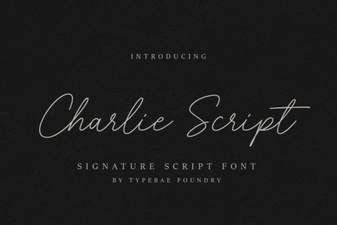 Elevate Projects with Charlie Script
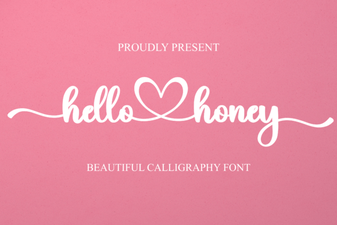 Hello Honey Font: Sweet Handwritten Style for Creative Projects
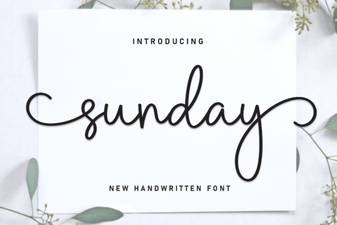 Sunday Font – Free Script Font Download for Elegant Designs
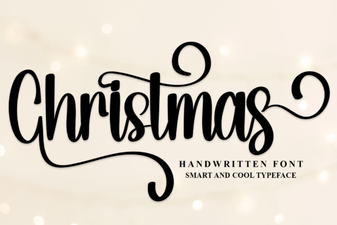 Christmas Script Font Collection for Holiday Designs
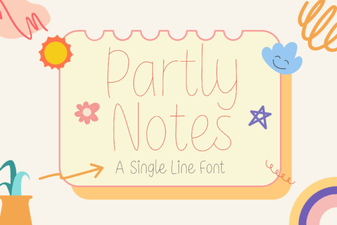 Creative Design with Partly Notes Font
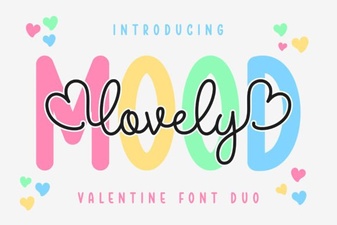 Lovely Mood Duo Font: Creative Design Pairing for Projects