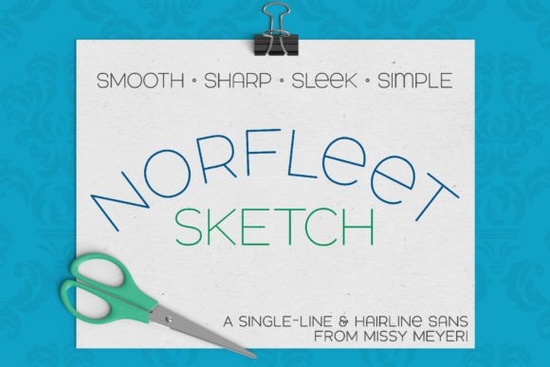
If you've been searching for a single-line font that works with sketch pens, foil quills, or engraving tools, Norfleet Sketch is worth a close look. It's a clean, elegant sans-serif built from the ground up as a single-line font not an outline font repurposed to look like one. That distinction matters more than you might think, especially if you use a Cricut, Silhouette, or laser engraver regularly.
What Makes a Single-Line Font Different From a Regular Font?
Most fonts you download are outline fonts. Each letter is drawn as a closed shape think of it like a coloring book letter. Your machine traces the outer edge, which means it draws each letter twice (once on each side of the outline).
A single-line font works differently. Instead of a closed outline, each letter is drawn as one continuous stroke the same way you'd write something by hand with a pen. This matters because:
- Sketch pens and foil quills draw faster and cleaner with a single stroke
- Engraving tools and scoring styluses produce more precise results
- Infusible ink pens lay down even lines without doubling back
- Less wear on your tools since the tip doesn't retrace the same path
If you've ever tried to use a regular outline font with a sketch pen and gotten thick, messy results, now you know why. Single-line fonts solve that problem completely.
Why Does Norfleet Sketch Come in Two Versions?
This is where it gets practical. The font download includes Norfleet Sketch One and Norfleet Sketch Two. They look the same, but they're built differently to work with different software.
Norfleet Sketch One is a true single-line font. Each letter is made from a single open stroke with a start point and an end point. This version works with CNC programs like Rhinoceros and some specialty design software. If you use vector programs like Adobe Illustrator, Inkscape, or Affinity Designer, you can use this version just be aware that some programs will automatically connect the start and end points of each stroke, turning it into an outline. If you're comfortable editing paths, you can remove that connection easily.
Norfleet Sketch Two is a hairline font. It's technically an outline font, but the strokes are so close together that the gap between them is practically invisible. This one is designed for everyday crafting and design programs like:
- Silhouette Studio
- Cricut Design Space
- Adobe Illustrator
- CorelDRAW
- Inkscape
- Affinity Designer
No tweaking needed with the second version just type and go. The included PDF guide walks you through which version to pick based on the program you're using, so you won't have to guess.
What Can I Use Norfleet Sketch For?
This font shines in any project where your machine draws letters instead of cutting or printing them. Here are a few ideas:
- Wedding and event invitations foil quill on cardstock for a clean, modern look
- Gift tags and envelopes sketch pen calligraphy without the hand cramps
- Personalized drinkware and signs engraving with a Glowforge or similar laser cutter
- T-shirt designs infusible ink pen projects with a clean single-line aesthetic
- Scrapbooking and journaling elegant headers that pair well with other fonts
The font has a modern, wide stance with smooth curves and minimal nodes. It's a double-uppercase set (uppercase letters repeat in the lowercase positions), with a few helpful variants like a round-topped A and a lowercase-style e. The design is minimal enough to pair with other fonts easily. For example, you could match it with something like the Chopard font for a layered look, or use it alongside a decorative display font like Charm Grunge to balance rough textures with clean lines.
What Should I Know Before I Buy?
A few honest notes to help you decide:
- Single-line and hairline fonts can't be used for regular printing or word processing. They're specifically designed for tools that draw with a single line sketch pens, foil quills, engraving tips, and similar attachments.
- These fonts aren't meant for cutting. Your blade won't follow a single stroke the way a pen or stylus does.
- Brother Canvas Workspace users: there are known compatibility issues with single-line fonts in that program, so keep that in mind before purchasing.
- Not sure which version you need? The PDF guide included in the download breaks it down by program, so you'll have clear instructions before you start.
If you're looking for a companion font for other design projects maybe something with more visual weight for headings the North Hiking font is a solid sans-serif option with a very different style that plays well alongside lighter fonts like Norfleet Sketch.
Quick Checklist Before You Start Using Norfleet Sketch
- Check your software Decide whether you need the true single-line version (Sketch One) or the hairline version (Sketch Two) based on the program you use.
- Read the included PDF guide It covers program-specific tips and helps you pick the right version.
- Test on scrap material first Run a small sample before committing to your final project, especially with foil quill or engraving tools.
- Pair thoughtfully Norfleet Sketch works beautifully on its own, but it also complements bolder fonts if you're building a multi-font design.
- Check your tool compatibility Make sure your pen, quill, or stylus works with your machine's adapter and settings.
If you've been settling for outline fonts on your sketch pen projects, switching to a purpose-built single-line font like Norfleet Sketch makes a noticeable difference in quality and ease of use.
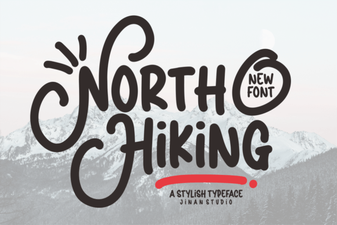 North Hiking Font - Free Sans Serif Font for Bold Outdoor Designs
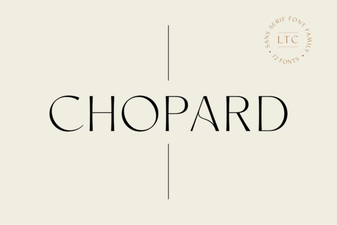 Chopard Font - Free Sans Serif Font Download
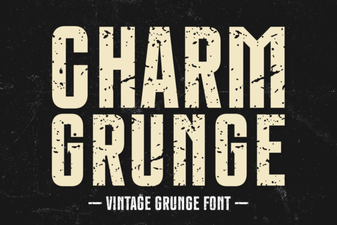 Charm Grunge Font: Bold and Creative Typography Design
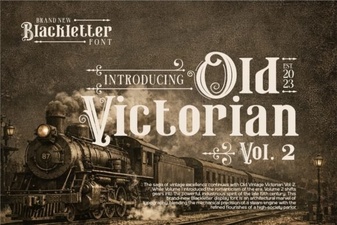 Old Victorian Vol 2 Font: Vintage Design Inspiration
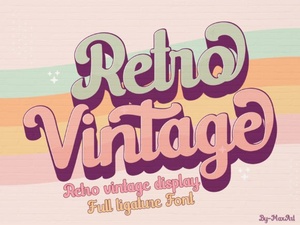 Retro Vintage Font Styles to Elevate Your Creative Designs
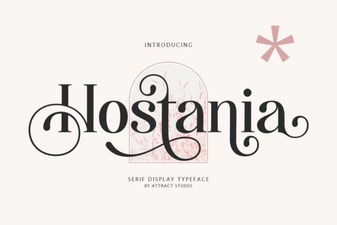 Hostania Font: a Creative Typeface for Modern Designs