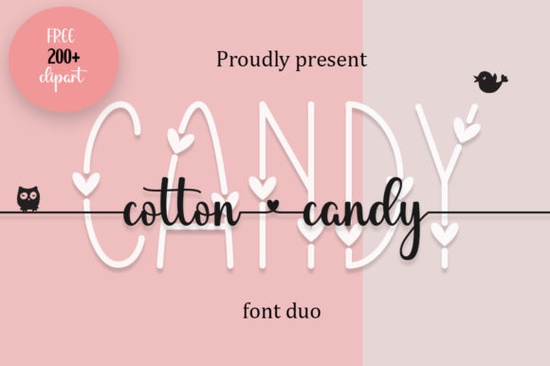
If you've been searching for a typeface that balances elegance with a whimsical, hand-drawn feel, the Cotton Candy Font might be exactly what your next project needs. Designed as a duo font pairing a decorative style with a flowing handwritten script, it brings a soft, romantic charm to invitations, logos, social media graphics, and craft projects. The dainty swashes and delicate letterforms give it a look that's both polished and personal.
What makes this font especially practical for working creatives is that it's PUA encoded. That means every glyph, alternate, and swash is fully accessible across design software without needing special plugins or workarounds. Whether you use Adobe Illustrator, Canva, Cricut Design Space, or Silhouette Studio, you can pull in those extra characters and ornaments right away.
What Makes the Cotton Candy Font Different from Other Decorative Typefaces?
Plenty of decorative fonts look pretty in a preview but fall short when you try to use them in real projects. Some lack character variety. Others have swashes that only work in a single app. The Cotton Candy font stands out because it gives you two complementary styles in one package. The decorative version works beautifully for headlines and monograms, while the handwritten script adds a personal touch for subheadings, taglines, and accent text.
Together, these two styles create a cohesive visual language without you needing to hunt for a matching pair. That saves time and keeps your designs looking intentional rather than thrown together.
What Can You Actually Use This Font For?
This is the kind of typeface that works across a surprisingly wide range of projects. Here are a few ideas based on how crafters and designers typically put duo fonts to work:
- Wedding invitations and save-the-dates The elegant swashes feel right at home on formal stationery.
- Greeting cards and thank-you notes The handwritten side adds warmth without looking messy.
- Logo design for small businesses Bakeries, boutiques, beauty brands, and florists often pair decorative and script fonts for a refined yet approachable identity.
- T-shirt and mug designs Print-on-demand sellers can use the decorative version for bold phrases and the script for supporting text.
- Social media graphics and quotes Instagram posts, Pinterest pins, and story templates all benefit from a font that's easy to read and visually appealing.
- Scrapbooking and die-cut projects Cricut and Silhouette users will appreciate the PUA encoding when pulling alternate characters into their cut files.
How Do You Access All the Swashes and Glyphs?
Because the Cotton Candy font is PUA encoded, accessing the full character set is straightforward. In most design programs, you can use a character map tool or a glyph panel to browse and insert alternates. If you're working in Canva, you can use a site like FontBolt's character map to copy and paste individual glyphs.
Here's a quick breakdown of how it works in popular tools:
- Adobe Illustrator / Photoshop Open the Glyphs panel (Type → Glyphs) and scroll through available alternates.
- Cricut Design Space Use the system character map on your computer to copy the glyph you want, then paste it into a text box.
- Canva Copy glyphs from an online character map and paste them directly into your text field.
This flexibility is one reason PUA-encoded fonts are so popular among crafters. You're not limited to the default characters you get the full creative range the designer intended.
Does It Pair Well with Other Fonts?
Absolutely. Since Cotton Candy already gives you a decorative and handwritten pairing, you can complement it with a clean sans-serif for body text. Think simple fonts like Montserrat, Poppins, or Lato for supporting copy. This keeps the focus on your headline or featured text while maintaining readability throughout the design.
Looking for other playful decorative options to expand your font library? Here are a few worth exploring:
- Monogram Love Curly A curly decorative font that works nicely for monograms and romantic designs. You can also browse Monogram Love Curly on Creative Fabrica to see the full character set.
- Summer Beach A fun, relaxed typeface that pairs well with seasonal and vacation-themed projects.
- Mama Flowers A floral decorative font with a feminine, nature-inspired feel, great for Mother's Day designs and botanical layouts.
Each of these brings a different mood to the table, so mixing them across your project collection keeps your designs feeling fresh without straying too far from a cohesive style.
Is Cotton Candy a Good Fit for Commercial Projects?
Yes. Fonts available through Creative Fabrica typically come with a license that covers both personal and commercial use, including print-on-demand and physical product sales. That makes Cotton Candy a practical choice for Etsy sellers, small business owners, and anyone creating products for profit. Just make sure to review the specific license terms on the product page before you start selling.
Quick Checklist Before You Buy
- Test it in your software first Download the preview and make sure it renders correctly in the tool you use most.
- Plan your pairings Decide which style (decorative or handwritten) fits your primary use case.
- Check the license Confirm it covers your intended use, especially for POD or commercial products.
- Explore the swashes Don't just use the default characters. The alternates are where this font really shines.
- Start with one project Try it on a single card, shirt, or social post before committing it to an entire brand identity.
Tip: Keep a quick-reference sheet of your favorite glyphs from Cotton Candy saved on your desktop. That way, you can grab the swash or alternate you need without digging through the full character map every time.
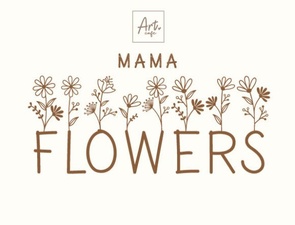 Mama Flowers Font - Decorative Floral Display Typeface
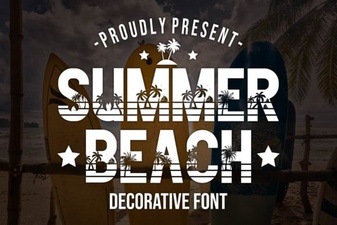 Coastal Design Projects with a Summer Beach Font
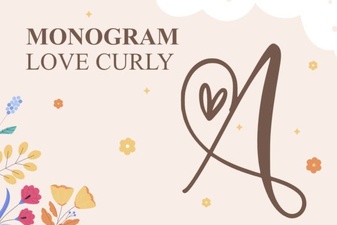 Elegant Monogram Love Curly Font for Creative Projects
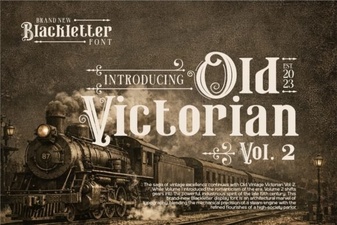 Old Victorian Vol 2 Font: Vintage Design Inspiration
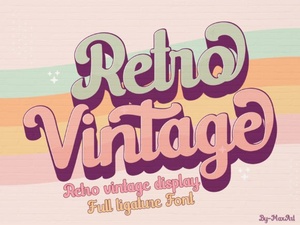 Retro Vintage Font Styles to Elevate Your Creative Designs
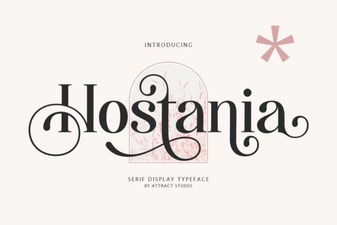 Hostania Font: a Creative Typeface for Modern Designs